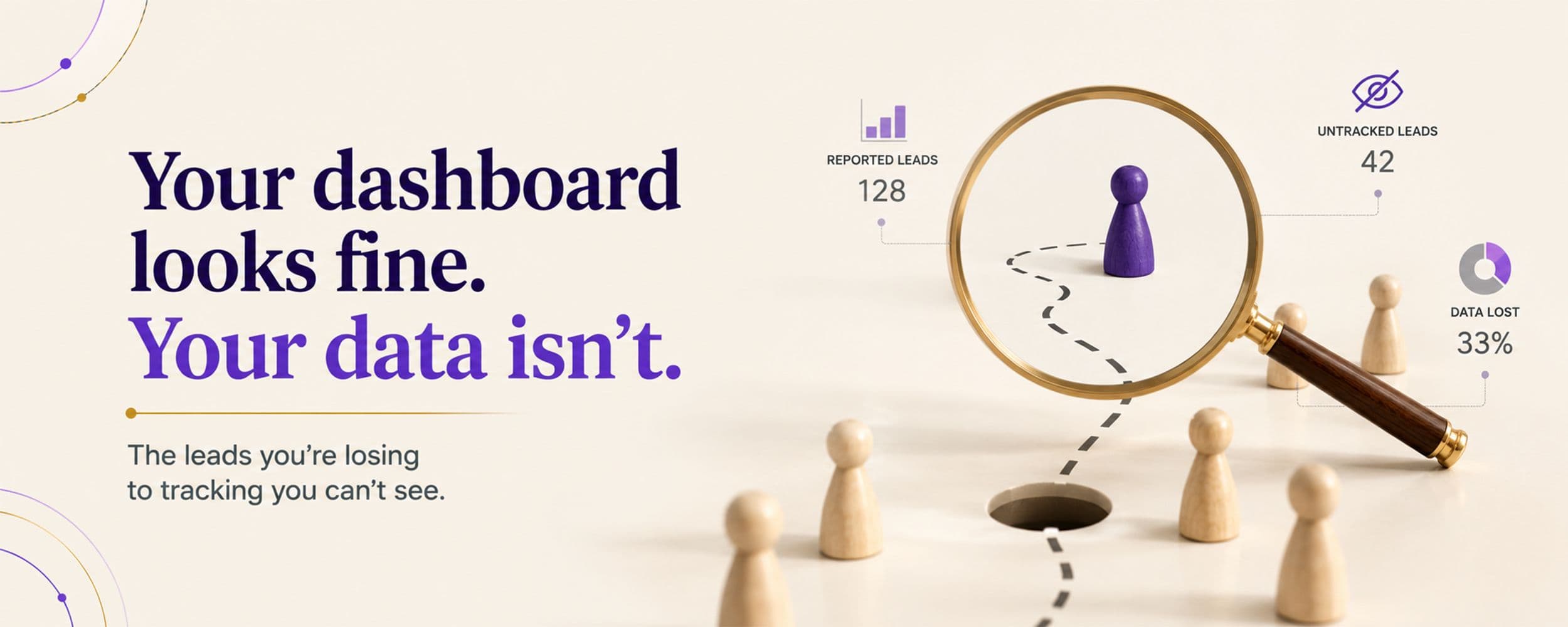
GA4 cross-domain tracking fails quietly and hides real leads. Here is how it breaks, and how to catch it. The biggest risk is the one off your dashboard.
A slow puncture is the worst kind. The tyre looks fine. The car drives fine. Then one morning it is flat, and you realise it had been leaking for days. Broken tracking is a slow puncture. The dashboard looks fine, right up to the moment you learn you have been steering by a bad number.
This piece is about GA4 cross-domain tracking, and the leads it quietly hides. It comes from the anchor of this series, Same War, New Weapons, and from Morgan Housel: the biggest risk is the one you cannot see. Your dashboard feels like the truth. It only shows what it was told to count.
The blind spot
The dashboard only counts what it is told to
A report is not reality. It is a record of the events you set up to record. Miss an event, and it simply never appears. There is no error, no warning, no red mark. Just a quiet gap where truth should be. That gap is dangerous because it looks like data. You make confident decisions on numbers that are missing a piece.
From the work
The quarter you cannot see
On one account, about a quarter of the leads came in through chat and phone calls, outside the main ads dashboard. Read only the dashboard, and you would undercount the results by a quarter. Worse, you might pause the very campaigns that were driving those calls, because on paper they looked weak.
Where GA4 breaks
How cross-domain tracking quietly fails
GA4 cross-domain tracking is meant to follow one person as they move from your ad, to your site, to a checkout or booking page on another domain. When it is set up right, that whole journey stays as one. When it breaks, the same person is counted as two, and the sale on the second domain is never credited to the ad that drove it.
The damage is not small. When cross-domain tracking fails, session and user counts can inflate by 30 to 50 percent, because every jump between domains starts a fresh visit. Your numbers look busier and convert worse than reality, and both readings are wrong.
The causes are almost always quiet ones. A domain left off the list. A misconfigured linker. A subdomain treated as a separate site. A cookie banner that allows tracking on one domain and blocks it on another. My favourite trap: a well-meaning script that "cleans" URLs and strips the small parameter GA4 uses to stitch the visit together. One team ran that way for two months before anyone noticed the funnel was broken. There is also double counting to watch, where GA4 and Google Ads both record the same conversion and inflate it.
On one account, cleaning up this kind of cross-domain noise was a single, careful fix. Nothing on the surface had said anything was wrong.
Broken tracking does not send an alert. It just makes good work look bad, and bad work look fine.
How it works
What cross-domain tracking is actually doing
To fix it, it helps to see the mechanism. When a visitor moves from one of your domains to another, GA4 has to recognise them as the same person. It does this by passing a small piece of information in the link between the two sites, a stitching parameter you may have seen in a URL as "_gl". If that parameter makes the jump, the visit stays whole. If it is dropped, GA4 sees a stranger arriving and starts a brand new session.
That single dropped parameter is behind most cross-domain problems. Almost everything below is a variation on it.
The setup
Setting it up so it holds
- List every domain. In your GA4 data stream, add all the domains a visitor crosses. A domain left off the list is a domain that breaks the journey.
- Check the link carries the parameter. Click from one domain to the next and look at the address bar for the stitching parameter. If it is not there, the link is broken.
- Protect it from scripts. Make sure no redirect or URL-cleaning script strips that parameter on the way through.
- Align consent. If a cookie banner blocks tracking on one domain and allows it on another, the chain snaps. The consent choice has to carry across too.
The opposite problem
When one lead is counted twice
Broken stitching hides leads. The opposite bug invents them. When GA4 and Google Ads both record the same conversion, or a thank-you page reloads and fires twice, one lead becomes two on the report. You then scale a campaign that looks twice as good as it really is.
The fix is to decide, once, which tool is the source of truth for each conversion, and to make sure a single action fires a single event. Honest counting cuts both ways: nothing missed, and nothing doubled.
Finding the break
How to debug it in ten minutes
You do not need to guess. GA4 and its tools let you watch the data live. Open your site in a debug or preview mode, then walk the exact path a customer takes: ad, to site, to the second domain, to the thank-you page. Watch the realtime view to see whether it stays one session or splits into two.
If it splits, you have found your leak, and the setup checklist above tells you where to look. Ten minutes of this, once a quarter, is far cheaper than a quarter of decisions made on a broken number.
The usual suspects
What breaks it most often
When cross-domain tracking fails, it is nearly always one of a short list. Knowing them turns a mystery into a checklist.
- A domain left off the list. The most common of all. The visit to the unlisted domain simply starts fresh.
- A redirect or link shortener that drops the stitching parameter on the way through.
- A subdomain mix-up. Moving between a subdomain and the main site is not the same as cross-domain, and treating one like the other breaks both.
- A consent mismatch. Tracking allowed on one domain and blocked on the next, so the chain snaps at the border.
- Privacy and browser limits that clear the identifiers tracking leans on, which is why the trend is toward server-side measurement.
Work down that list and you will find most breaks in minutes. The point is not to memorise the causes. It is to know that a broken funnel almost always has a boring, findable reason, not a mysterious one. The data did not lie to you. Something quietly stopped carrying it across, and it can be found.
Why it matters more now
Privacy made clean tracking harder, and more important
This is not getting easier. GA4 now counts everything as events, consent banners can block the very cookies tracking depends on, and privacy rules tighten every year. Each change adds another way for the data to quietly break. That is why more teams are moving measurement server-side in 2026, and why a regular check matters more than it used to. When the ground keeps shifting, the one thing you control is whether you are still measuring honestly.
The check
How to find the leak before it costs you
You cannot fix what you cannot see, so the job is to go looking. A short, regular tracking check catches most leaks before they shape a bad decision. The quickest test is to open your site in debug mode, click through to your other domain, and look at the address bar. If the small stitching parameter is not carried across, your journey is broken.
A Quick Tracking Check
Run through this before you trust the dashboard:
- Every conversion action fires, and you have tested it yourself
- Leads from chat and phone are counted, not just form fills
- Cross-domain journeys stay intact, no breaks or double counts
- Every domain is listed, and no cookie banner or script is stripping the link
- The totals roughly match what the business actually received
This is the setup work from Win Before You Spend, taken one level deeper. Decide what counts, then keep checking that it still counts.
The habit that protects you is a small one. Once a quarter, walk your own funnel like a customer and watch the data follow along behind you. It takes ten minutes, and it catches the slow puncture while it is still small and cheap to fix. Every confident decision you make rests on these numbers. Spend the ten minutes making sure they are telling you the truth.
Download: Tracking-Hygiene Checklist
The full version of the check above, to run before every launch and every month after. Free to download, no sign-up.
Not Sure Your Numbers Are Honest?
We audit and set up measurement so your dashboard reflects what really happened. Then every other decision rests on solid ground.
Research referenced: 2026 GA4 cross-domain tracking guides on session inflation, linker and consent misconfigurations, and duplicate conversions.
Part of the Same War, New Weapons series on the performance marketing principles that survive every platform update.