Most member portals in India, in 2026, are still built as bulletin boards with logins. A landing page for authenticated users, a menu of sections, some content organised into tabs, maybe a chat widget in the bottom-right corner, and the assumption that the member will figure out why they came. Members log in the first week, look around, do not find their reason to be there, and stop returning. The portal continues to exist. The engagement metric does not.
This is the failure mode almost every member portal shares, regardless of whether it is a customer portal for a SaaS product, a community platform for a professional network, a learning management system, an HR portal for employees, an alumni network, or a practitioner-client portal for a wellness business. The category is different. The failure is the same. And in almost every case, the fix is not more features. It is a different architecture, where AI is doing the work of deciding what the portal should be for each member each time they arrive.
This piece is about that architecture. What an AI-native member portal actually is, how the two foundational systems (authentication and role assignment) change when AI is doing the work properly, and the one AI workflow every portal needs regardless of category. Not a technical implementation guide. An architectural view for the founder, CTO or product leader who is about to commission a portal build and wants to avoid the bulletin-board outcome.
What "AI-native" actually means for a member portal
An AI-native member portal is a portal where artificial intelligence is engineered into the core of the member experience: authentication, role assignment, content routing, and the moment-by-moment decision of what to show each member. The AI is not a feature. It is the mechanism by which the portal decides what to be for each person who logs in.
This is a different claim from adding a support chatbot, from generating some copy with an LLM, or from putting a "recommendations for you" tile on the dashboard. Those are cosmetic uses of AI. They do not change the portal's fundamental problem, which is that members log in without a clear reason to be there and the portal has no mechanism for telling them what their reason is.
An AI-native portal treats the member's context (who they are, what they have done, what their role is, what has changed since their last visit) as the primary input to every decision the portal makes. The tabs, the menus, the dashboard, the notifications, the suggested actions: all of them are outputs of that context reading, not fixed elements the member has to navigate.
Authentication is not just login. It is the first context read.
In a traditional portal, authentication is a security check. Verify the user, log them in, deliver them to a fixed home page. Done.
In an AI-native portal, authentication is the first context read, and it decides everything the member sees for the next fifteen minutes. The signals available at authentication are richer than most portals bother to use, and using them properly is where the AI-native portal earns its first difference.
- Single sign-on (SSO) is the floor, not the ceiling. Any serious portal in 2026 supports Google, Microsoft and enterprise SAML. This is table stakes, not differentiation.
- Magic-link authentication for asynchronous members. If a member logs in once a week from three different devices, forcing them through a password reset every time is friction the portal cannot afford. Magic links reduce drop-off measurably in low-frequency portals.
- Signal capture at login. Email domain, referral source, device type, time of day, IP geography, and (where the portal has history) past-session context. Each is a small signal. Together they are the input to the AI's context read.
- Role assignment on the fly. In a bulletin-board portal, roles are static and manually assigned. In an AI-native portal, the role signal is refreshed at every login based on the current combined signal set. A member whose behaviour has shifted is treated differently on their next visit than on their last one.
The point is not that the portal impersonates a person or feels "creepily aware." The point is that the login moment is not just a security check. It is the platform's first opportunity to know the member well enough to make the next fifteen minutes worth their time.
Role management: from permissions to workflows
Traditional portals treat roles as permissions. Admin can do these things. Editor can do those things. Viewer can do the rest. This is a security model dressed as a member experience model, and the confusion between the two is the reason so many portals feel identical for every user regardless of role.
An AI-native portal keeps the security model (permissions are still permissions) but layers on a workflow model. A role is not just what the member is allowed to do. It is what the portal should think about, and prioritise, and surface for that member.
Two members with the same static role can be treated very differently by an AI-native portal based on their behavioural signals. A "member" who has logged in twice in six months is at a different point in the relationship than a "member" who has logged in three times this week. The permissions are identical. The portal's job is not.
This is where most bulletin-board portals fail silently. They treat all "members" the same. The dormant member and the active member both see the same landing page, the same notifications, the same suggested actions. The dormant member does not re-engage because nothing on the portal acknowledges that they have been absent. The active member does not go deeper because nothing on the portal responds to their engagement. Both leave value on the table.
An AI-native portal solves this by treating role as a compound signal (static permission plus behavioural pattern plus organisational context plus tenure) and using that compound signal to decide what to surface. The mechanics of how this is implemented (role graphs, feature flags, personalisation layers) are engineering detail. The architectural commitment is that role is not a fixed label. Role is a workflow the portal runs each time the member appears.
The one AI workflow every portal needs: the contextual next step
If a member portal builds only one AI workflow, this is the one. It is the workflow that most directly addresses the bulletin-board failure mode, it generalises across every portal category, and it is measurable from day one.
Call it the contextual next step. The workflow is simple to state and non-trivial to build well.
When a member lands on the portal, the AI:
- Reads their combined signal set: static role, tenure, recent activity, organisational context, changes since their last visit, and what the portal knows about their goal.
- Assesses the highest-value action they can take right now, in this session, given all of the above.
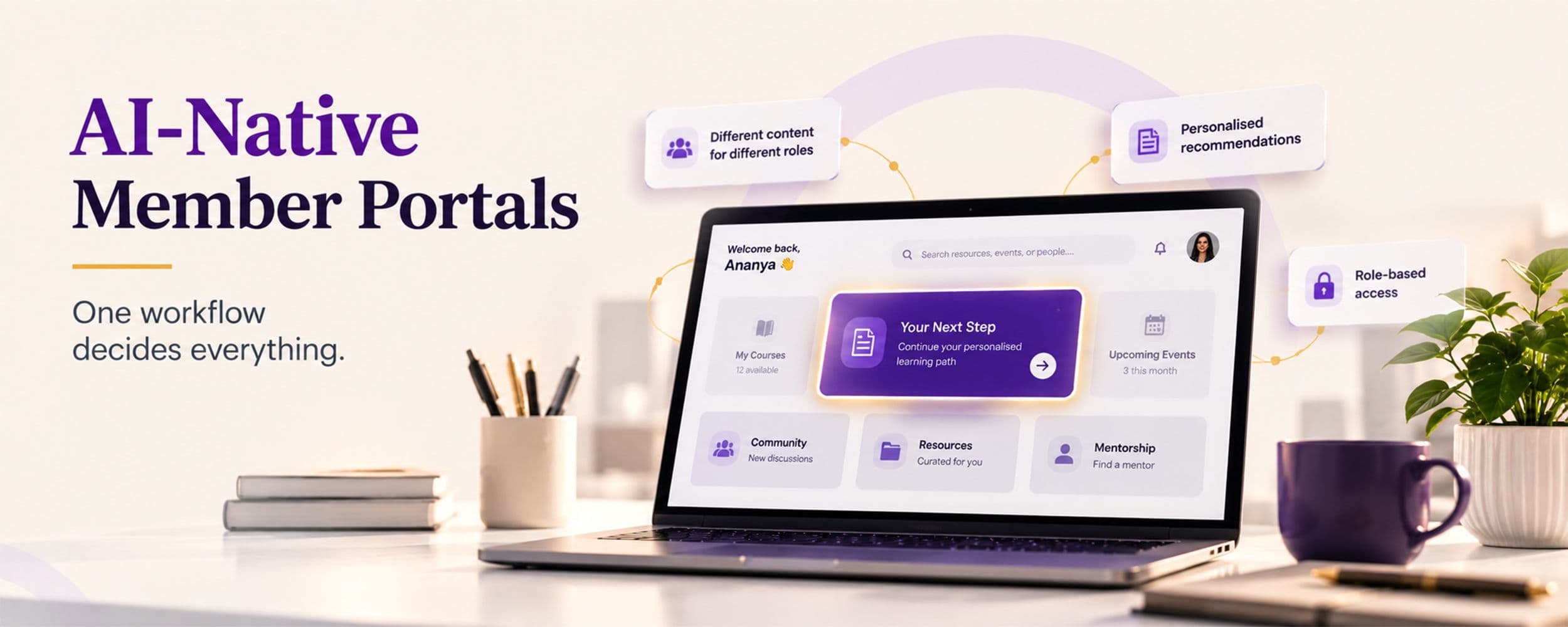
- Surfaces that action as the primary call to action on the landing surface. One action, named clearly, ahead of the menu.
- Adapts based on the member's response: if they take the action, the workflow moves them to the next one; if they ignore it, the workflow updates its model of what this member actually values.
This is not a chatbot. Chatbots answer questions members already know they have. The contextual next step decides what the member's most useful next question or action is before the member has articulated it.
“It is the difference between a portal that presents options and a portal that provides direction.”
The workflow generalises. What the "next step" is depends entirely on the portal type:
- Customer portal (SaaS product): "Your integration with X has been failing for four days. Here's what to check first."
- Community platform: "This week's most-active thread is on a topic you've contributed to twice. Three people you follow have already replied."
- Learning management system: "Continue lesson four of your current path. You are two lessons from completing the certification."
- HR portal: "Two policies changed since your last visit. One affects you directly. Ninety seconds to review."
- Alumni network: "Two members from your batch have joined this month. Both are in your city."
- Practitioner-client portal (wellness, coaching, consulting): "Your last session's practitioner notes are ready. Your next session is scheduled for Wednesday. Do you want to add anything before then?"
- Investor portal: "Two portfolio companies posted updates since your last login. One is flagged as material."
The category is different. The mechanism is identical. The AI takes the member's context, decides the single most valuable action for this session, and puts it ahead of everything else. The menu is still there. The tabs are still there. The primary decision the portal makes for the member is a specific one, and it has been made.
What not to build
The AI-native member portal category has already accumulated a set of common mis-builds, all of which look impressive in a demo and return nothing in production.
- A support chatbot as the primary AI feature. Support chatbots address a real problem, but they address it after the member has already failed to find what they came for. They are downstream of the actual issue, which is that the portal did not surface the right thing in the first place.
- Personalisation that only changes the banner or the tile order. If the AI's job is to rearrange the visual furniture on the landing page, the member will not notice, and the metrics will not move. Personalisation that does not change what the member does is not useful personalisation.
- Recommendation engines that recommend more of the same. A member who read three articles on topic X is often best served by content that expands their view, not by four more articles on topic X. Recommendation engines that treat past behaviour as predictive without any counterweight tend to narrow the member's engagement over time, not deepen it.
- AI-generated content dumped into the portal without member signal. Auto-generated summaries, auto-generated announcements, auto-generated newsletters that read like nobody wrote them. Members can tell. The AI-native portal uses AI to decide what to surface for each member, not to fill the portal with generic auto-written content.
- "Ask AI" search boxes that replace navigation. Search bars that route through an LLM sound modern and produce vague, confidently-wrong answers about half the time. Members who use them once and get a bad answer stop trusting them, and the portal loses the search bar it had before.
The build discipline
An AI-native member portal is a longer, more expensive engagement than a traditional portal build. The difference is not in the frontend or the auth stack. It is in the depth of the discovery phase, where the team has to understand which member behaviours actually predict retention, which signals are worth reading at login, and which one workflow the portal should build first. Almost every good AI-native portal we have worked on started with a two-week discovery phase that shortened the initial feature list by 30 to 50 percent and rebuilt what remained around the contextual-next-step workflow.
The projects that fail are the ones where "AI-native" is a marketing decision, not an architectural commitment. A portal with a chatbot bolted onto a bulletin board is not AI-native. A portal where AI reads the member context at every login, assigns role signal dynamically, and drives what the member is shown to do next: that is AI-native. It costs more, takes longer, and returns disproportionately more, in engagement, retention, and the specific business outcomes each portal category is meant to deliver.
Planning a Member Portal
MagicWorks builds AI-native member portals and community platforms for businesses across India and international markets, starting with a discovery phase that decides which signals to read and which workflow to build first.
Explore portals and member sites, read about
book a discovery call to scope your portal.
Swapnil Ughade is the Founder and Managing Director of MagicWorks IT Solutions Pvt. Ltd., an AI-first digital marketing agency based in Pune. Founded in 2009 and now in its seventeenth year, MagicWorks builds AI-native websites, member portals and community platforms for businesses across India and international markets, and runs commission-tier performance marketing for the same segments. Swapnil has 17+ years of experience across digital marketing, web development and AI consultation.